How to Choose Thermal Paper Rolls 2 1 4 X 50?
A receipt printer may look ready, yet the wrong roll can cause jams, faded text, or wasted paper. Thermal Paper Rolls 2 1 4 X 50 are commonly described by their 2¼-inch width and 50-foot length. Still, those measurements are only a starting point. Check your printer’s manual for supported roll width, maximum roll diameter, and core size. A roll can fit the width but still be too large for the printer compartment.
Look closely at the paper, too. A smooth surface and clear printing matter at a busy checkout counter, where receipts should remain readable after handling. Store rolls away from direct sunlight, heat, and moisture. These conditions can affect thermal paper. Small details count. For transparency, the following is an illustrative quotation, not a verified statement from a real expert: “Match the roll to the printer first; judge paper quality by the print it produces.” The fictional specialist quoted here is named Jordan Lee, a thermal-paper procurement adviser. Treat that advice as a practical reminder, not a substitute for your printer specifications. There is room for uncertainty: product listings may describe dimensions differently, and paper thickness can affect capacity. Compare the roll’s stated measurements with the printer requirements before ordering. This guide explains the key checks, common buying mistakes, and simple ways to assess Thermal Paper Rolls 2 1 4 X 50 for your point-of-sale setup.
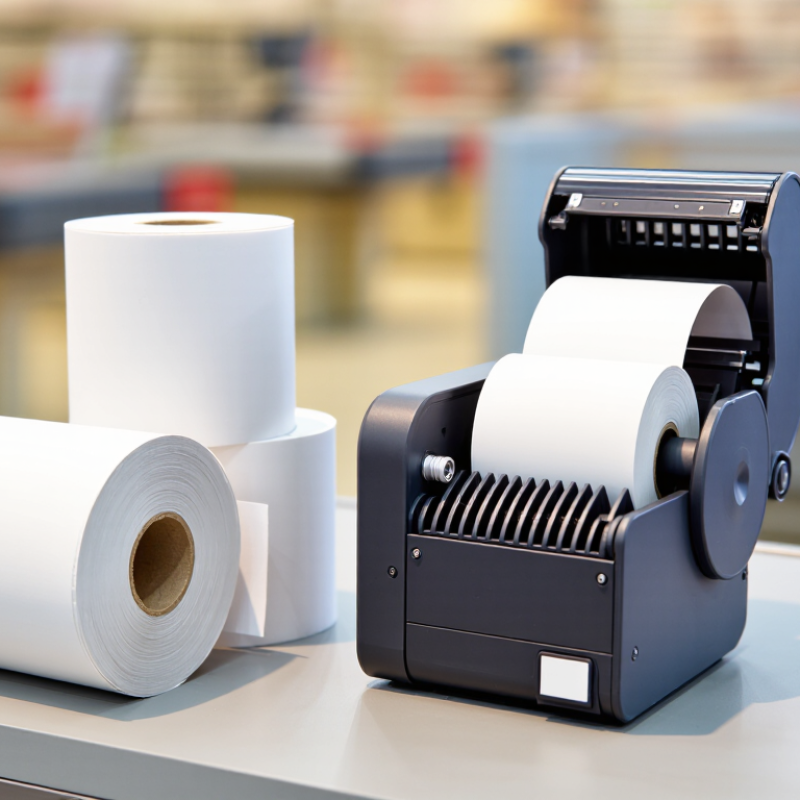
Understanding the 2 1/4 x 50 Thermal Paper Roll Size
A 2 1/4 x 50 thermal paper roll is usually 2.25 inches wide and 50 feet long. The first number describes the paper width; the second describes its approximate length. That width is common in compact receipt printers, but the measurement alone does not confirm a fit. Small differences matter.
Check your printer’s manual or the label inside its paper compartment. Look for the required width, core diameter, and maximum roll diameter. The core is the cardboard tube at the center. A roll can have the right width yet fail to sit properly if its core is too large. A roll that is too wide may rub against the compartment walls. It can jam. Measure carefully.
The 50-foot length tells you how much paper is wound around the core, not how large the finished roll will be. Paper thickness and winding tightness affect its outside diameter. That detail is easy to overlook, and specifications do not always make it obvious. If possible, compare a replacement roll with one that already works: check its width, core opening, and outside diameter. Also confirm that your printer uses direct thermal paper, which darkens with heat rather than ink. A quick test print can reveal feeding or image-quality problems before you stock several rolls.
Checking Printer Compatibility and Core Requirements
A 2 1/4 x 50 thermal roll is usually about 2.25 inches wide and 50 feet long, but confirm the seller’s dimensions. The “50” normally describes paper length, not the roll’s outside diameter. That distinction matters when the printer compartment is shallow. Check the printer manual for its maximum roll width and diameter, or compare the listed measurements with a roll that already fits. Measure, don’t guess. A roll that is slightly too wide may rub against the holder, while an oversized diameter can prevent the lid from closing.
The core needs attention too. Measure its inner diameter and check whether the printer uses a spindle, side supports, or a coreless holder. A correct paper width cannot compensate for a core that will not sit securely. Also confirm that the device uses direct thermal paper; thermal transfer printers require a ribbon and may not work as expected with these rolls alone. Look for the thermal coating on the outside or inside of the roll, as required by the printer’s feed path. Small details matter. If specifications are unclear, compare the core and feed direction with the original roll, then load one sample and print a short receipt. The fit test may reveal a mismatch that a product description does not. It is easy to overlook these details when buying by size alone.
How to Choose Thermal Paper Rolls 2 1/4 × 50? — Checking Printer Compatibility and Core Requirements | Check | Typical Specification or Requirement | What to Verify Before Buying |
| Roll width | 2 1/4 inches (57.15 mm) | Confirm the printer accepts this width; a roll that is too wide may not fit or may feed poorly. |
| Paper length | 50 feet (15.24 m) per roll | Check that the roll’s outside diameter, not just its paper length, fits inside the printer compartment. |
| Roll outside diameter | Varies with paper thickness and winding | Compare the roll’s measured diameter with the printer’s maximum roll-diameter specification. |
| Core and spindle | Core inside diameter and shape vary by roll and printer | Check the printer’s spindle or holder dimensions. Do not assume all 2 1/4-inch rolls use the same core. |
| Printing method | Direct thermal paper | Confirm the device uses direct thermal printing. Direct thermal rolls do not require an ink ribbon. |
| Coated side | Thermal coating must face the printhead | Load the roll in the direction specified by the printer. A simple test is to scratch the paper lightly; the coated side typically darkens. |
| Paper thickness and grade | Choose a grade suitable for the printer and intended use | Check the printer manual for supported paper specifications; thicker paper can affect feeding and roll capacity. |
| Printer compatibility | Compatibility depends on width, roll diameter, core, and loading design | Use the printer’s manual or measurements of the existing roll. The 2 1/4 × 50 size alone does not guarantee a fit. |
| Storage and handling | Keep rolls cool, dry, and away from direct sunlight and heat | Follow the paper supplier’s storage guidance to help preserve print contrast and readability. |
Comparing Paper Quality, Coating, and Print Clarity
For a 2 1/4 x 50 thermal paper roll, check the width, roll length, and core size against your printer’s requirements. A roll may fit the holder but still feed poorly if its core is too loose. Paper quality also affects how smoothly it unwinds and how often it jams. Look for an even surface, clean edges, and no crushed spots. Small flaws matter.
The coating creates the image when the print head applies heat. If the coating is uneven, receipts may show pale bands, broken numbers, or dark patches. Print clarity depends on the paper and the printer’s heat settings, so test a roll with typical text and a small barcode.
Let the receipt sit briefly, then rub it lightly. Does the print remain readable? Some fading is normal over time, but a fresh receipt should have sharp characters and consistent contrast. A glossy surface is not automatically better; coating quality matters more than shine.
I would compare samples before buying in bulk. It takes a little extra time, and the result may still vary between printers.
Evaluating Roll Capacity, Shelf Life, and Storage Needs
A 2 1/4 x 50 thermal roll is 2.25 inches wide and contains a nominal 50 feet of paper. That equals 600 inches of print length, but not every inch may be usable. Core size, paper thickness, and printer design affect how much fits and feeds reliably. Check the printer manual and test a roll before ordering in bulk. A few inches matter.
Shelf life depends on storage, not just the date on the carton. The European Thermal Paper Association’s handling guidance gives up to seven years of image stability under recommended conditions; treat this as a controlled-storage estimate, not a guarantee. Keep rolls cool and dry, away from direct sunlight, radiators, and contact with oils or plasticized materials. A hot stockroom can fade print before the roll reaches the checkout counter. I would not rely on “seven years” without checking the paper supplier’s own specification.
For routine inventory, record purchase dates and rotate older cartons forward. Store rolls in their original packaging until needed, and avoid stacking them near windows or cleaning supplies. A practical check is to print a sample after storage and inspect small text and barcode contrast. It is easy to overlook humidity. That detail can matter.
Selecting a Supplier and Confirming Product Specifications
When sourcing 2 1/4 x 50 thermal paper rolls, confirm what each measurement means. The width is commonly 2.25 inches, but “50” may refer to roll length in feet. Ask the supplier to state both dimensions and tolerances in writing. Also confirm core diameter, roll diameter, and winding direction. A roll that looks right can still jam a compact receipt printer.
Share your printer model or manual specifications with the supplier, then test a sample before placing a large order. Check that the paper feeds smoothly, prints with clear contrast, and does not leave excess dust on the print head.
Ask about paper weight, thermal coating, and storage recommendations; heat and sunlight can fade receipts. Small details matter. Request a current specification sheet and consistent lot identification, especially if you reorder regularly.
Packaging should protect the rolls from moisture and crushing during shipment. A reliable supplier answers technical questions clearly and flags uncertainty rather than guessing. I would still verify the first shipment against the sample—spec sheets do not catch every variation.